
Developers
See exactly what your agent sent and received, and keep a searchable history of every session.
For people who use Claude Code or Codex
macOS + Linux · v0.1.22
ViberMate sits between Claude Code or Codex and the AI service. It records each conversation, lets you choose which account answers, can ask you before the agent reaches somewhere new, and adds up tokens and cost, on your Mac or on one server for your team.
Your agent → ViberMate records and decides → the AI service you choose.
In plain words
Claude Code and Codex talk to an AI service over the network. Normally you can't see those messages or decide where they go. ViberMate stands in the middle, and you keep using your agent exactly as before.
Use this instead of your usual command; for Codex, end it with codex. Your agent, account and settings stay the same.
vibermate run -- claudeViberMate runs on your Mac or your team's server. It records what goes back and forth and applies the rules you set.
Read user and Agent messages first; open tools or system context beside a message. Check compact Token and estimated cost details, switch accounts, and approve new connections, in the App or a browser.
Who it is for
See exactly what your agent sent and received, and keep a searchable history of every session.
Send requests to the account or service you choose, see each account's remaining quota, and switch without editing config files.
Run one server for everyone. Each person signs in with their own account; the owner decides who may use which policies and sees usage by person, project and model.
WHAT YOU CAN DO
Every screen below is the real product running on built-in sample data, so no real account or conversation appears.
01See
Each session shows what you asked, what the model answered, which tools it used, and which account and model handled it. The raw request is one click away.
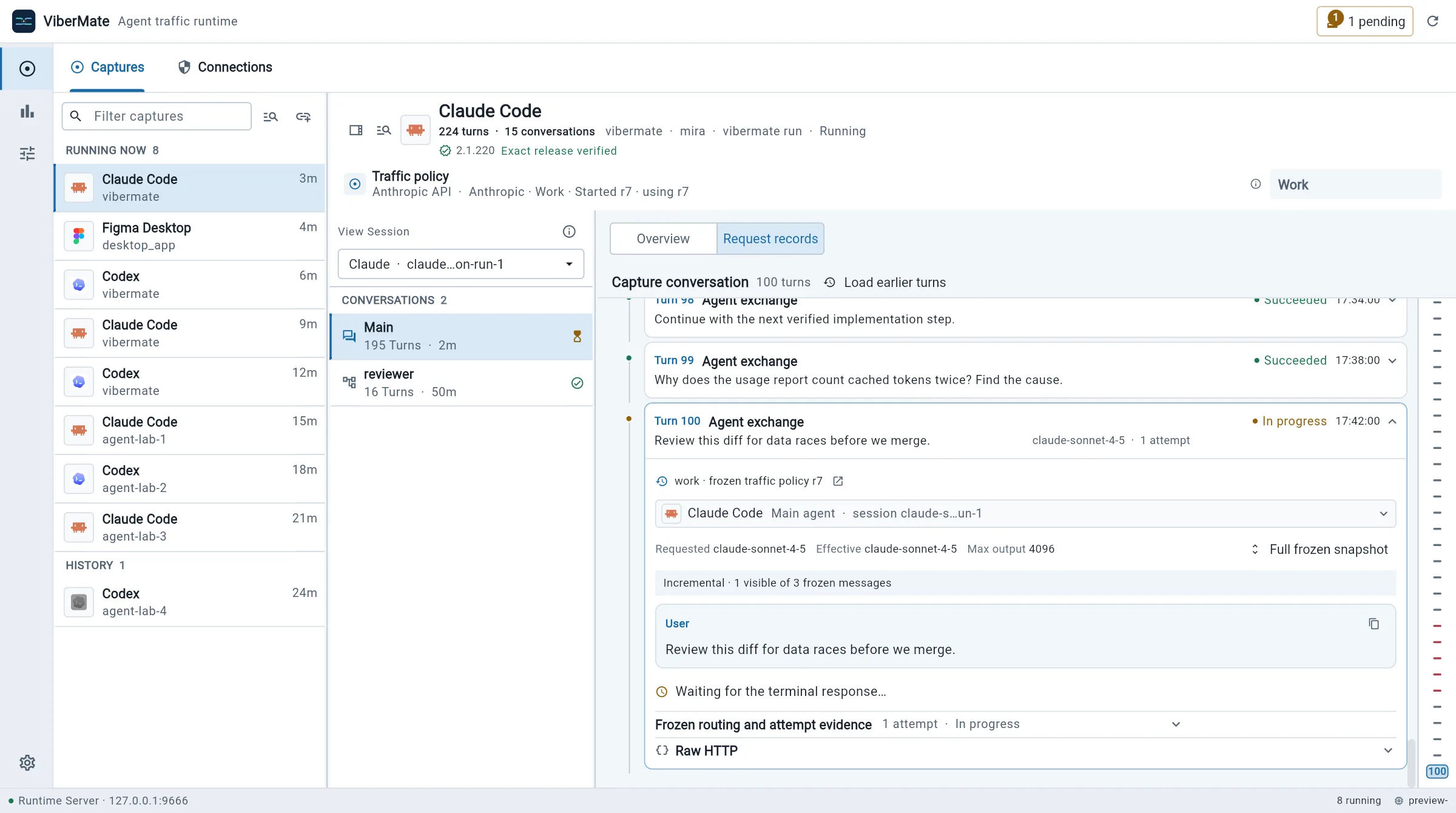
02Approve
When the agent tries to reach a site your policy hasn't decided, ViberMate holds the connection and asks. Allow it once, refuse it, or save a rule.
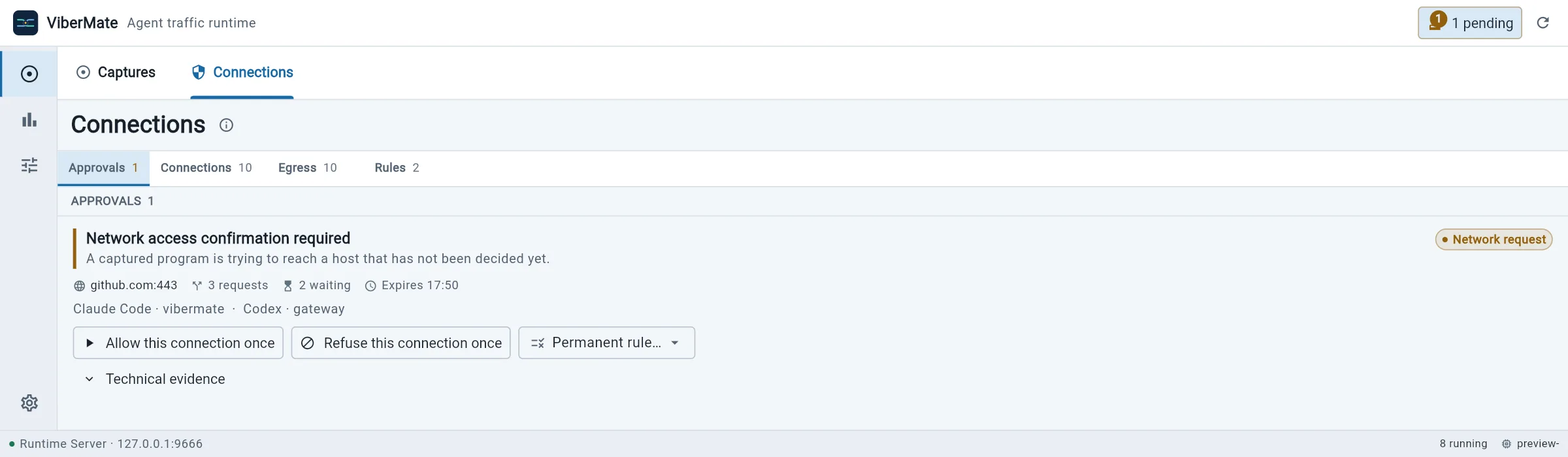
03Steer
A traffic policy connects each agent to an upstream service and account. Change it here, and running sessions follow on their next request.
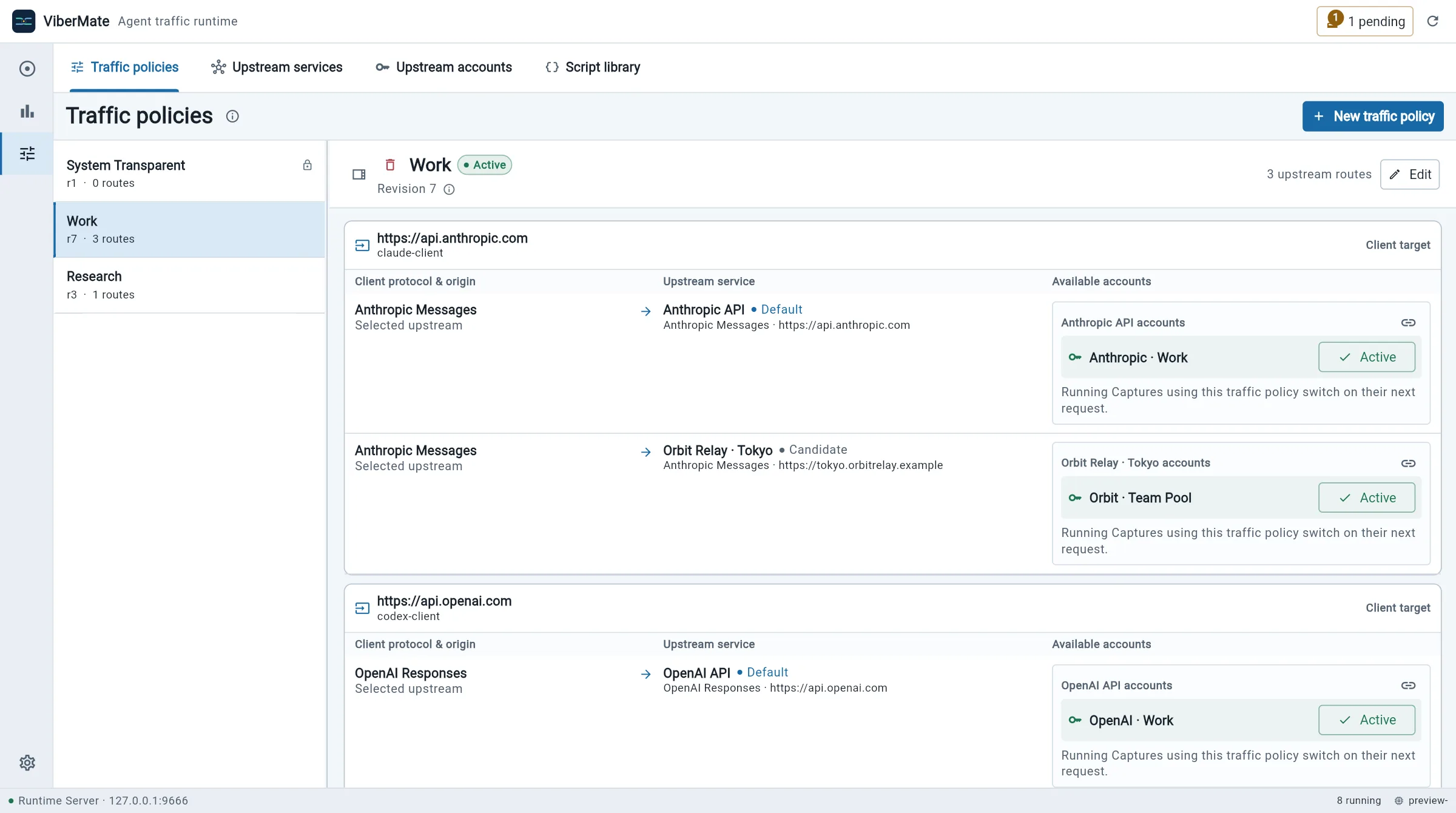
04Accounts
Add API keys, or sign in to Codex with ChatGPT. Quota windows and reset times stay visible, and Codex sign-ins can refresh automatically.
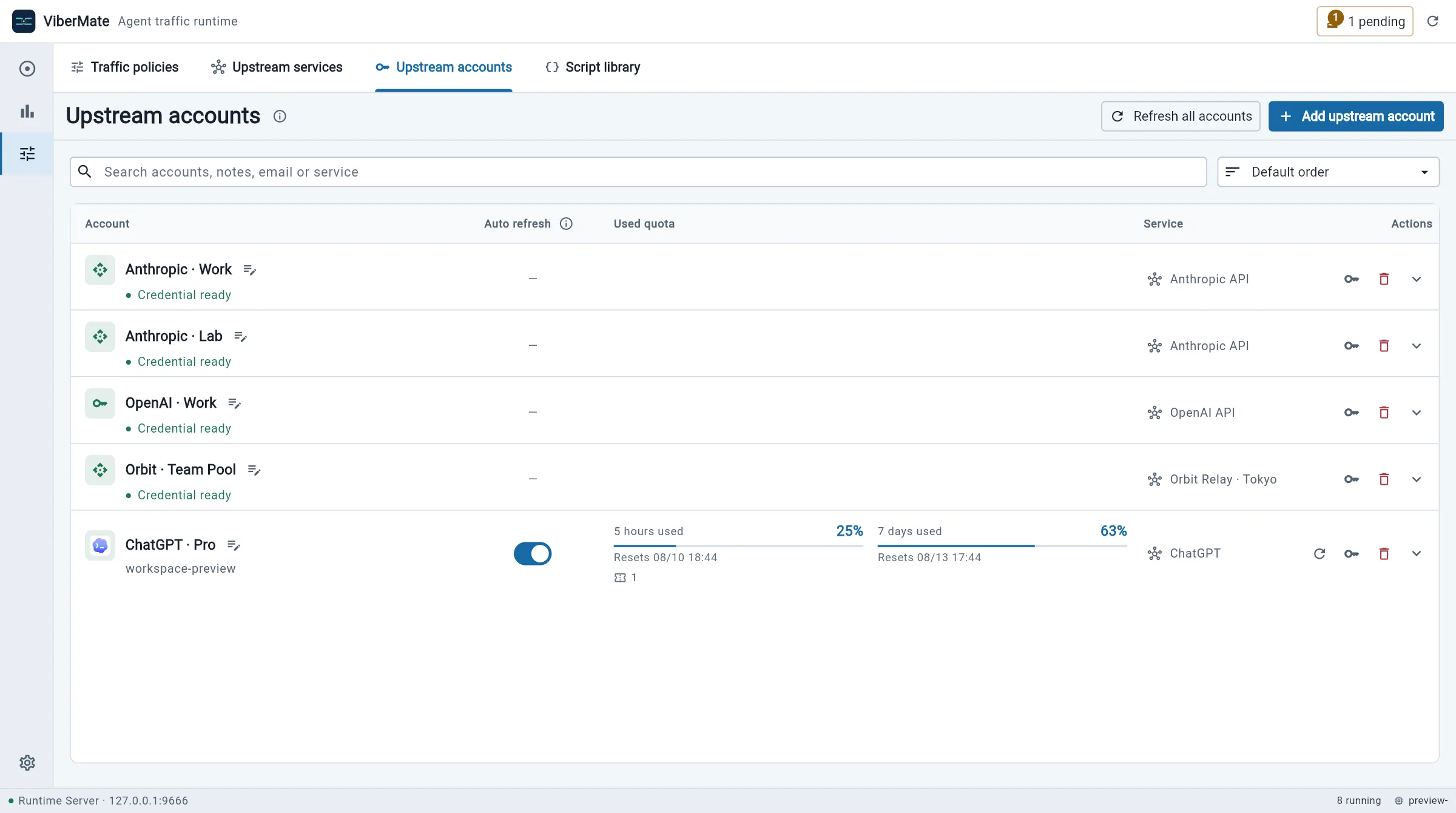
05Measure
Count requests, tokens and estimated cost by project, branch, model, account or person. Costs come from public prices and are marked as estimates, not a bill.
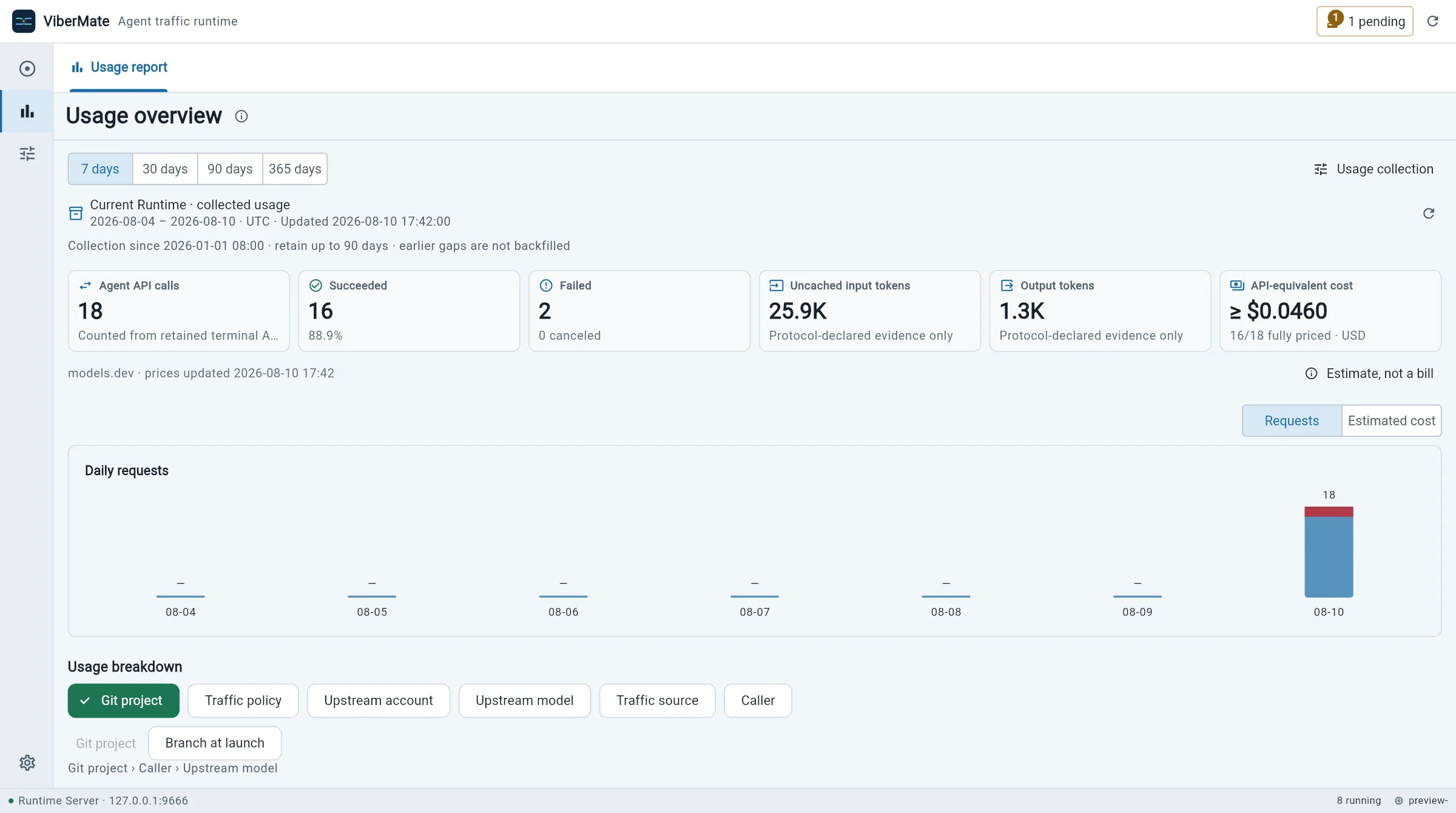
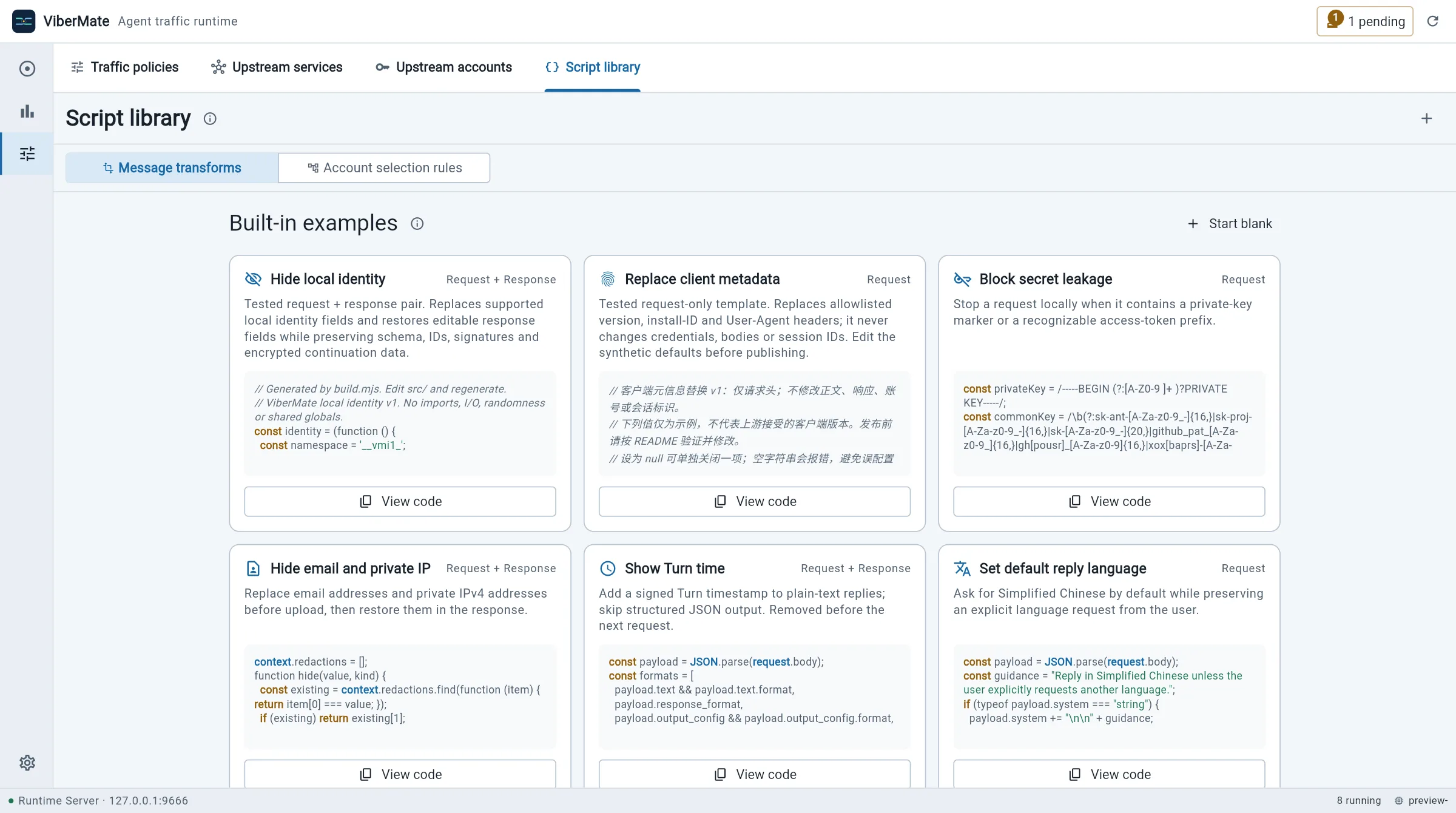
06Customize
Start from built-in examples that hide personal details, block leaked secrets or set a reply language, and test them before you turn them on.
Get started
Supported path: macOS 14+ App · Linux x86-64/ARM64 Server + Web · Open release 0.1.22
01 · Install
macOS 14+ · Apple silicon and Intel
For using ViberMate on your own Mac. The App includes everything it needs.
brew install --cask vibe-agi/tap/vibermateLinux x86-64 and ARM64
For a team, or to use ViberMate from a browser. Download the archive from the release page, extract it, start the server, and open http://127.0.0.1:9666. The key for the first owner account comes from ./vibermated server recovery-key.
./vibermated server02 · Connect your terminal
In the App, open Settings → Access & launch → Terminal command and set up the vibermate command. With a server, sign in once instead.
vibermate login --server http://127.0.0.1:966603 · Start your agent
Run it from your project. Add --server <address> when you use a server. Then open the workbench to watch the conversation arrive.
vibermate run -- claudeGood to know
For people who use Claude Code or CodexViberMate doesn't replace Claude Code, Codex or your AI provider. Without your own policy it records traffic and passes it through unchanged.
Records live in a database on your Mac or your server. There is no ViberMate cloud, and you choose what is recorded and for how long.
API keys and sign-in tokens are stored separately and are never written into policies or recorded conversations.
Token counts come from what the provider reports, and costs are labelled as estimates. Missing data is shown as missing, never guessed.
The server and its web workbench are self-contained: use it locally, on a private network, or with your own public domain and automatically renewed HTTPS. Settings → Access & launch generates deployment instructions; an IP allowlist controls which networks may connect.
Small JavaScript rules can hide personal details or block leaked secrets. They run in a sandbox with no network or file access.
What it is not
01 / 02ViberMate is not an AI agent or a model provider. It only sees traffic that goes through it, and it never sends your data to a service of its own.
Read more